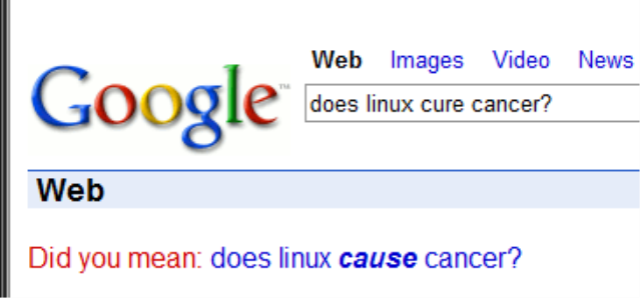
Excellent article on Rare Risks and Overreactions by Bruce Schneier

I recently started following Bruce Schneier’s blog about security and security technology. He makes LOTS of excellent points. Too bad the powers that be don’t educate themselves sufficiently on this type of stuff before passing bad laws or taking drastic, pointless actions.

I especially like his recent essay on over-reacting to rare events. Right on.

Simulating a Server in .Net (C#)

I recently had a need to simulate an FTP server connection in some unit tests. Rather than developing a full test-server, for this purpose, I could easily simulate an FTP stream by creating it in memory, and then passing that stream to the functions  that expect it:

public Stream CreateTestStream(string text) { byte[] buff = Encoding.ASCII.GetBytes(text); return new MemoryStream(buff, false); }

This function merely accepts text (FTP is text-based after all), and returns a memory stream. I can then use it in a unit test:

[Test] [ExpectedException(typeof(FtpException),"InvalidResponse")] public void FtpResponse_Constructor_BadStream_InvalidCode() { using (Stream s = CreateTestStream("NoErrorCode")) { FtpResponse response = new FtpResponse(s); } }

Setting the minimum Windows version supported (C++)

Recently, I was trying to use the Shell function SHGetFolderPath. Despite including the correct header file (shlobj.h), the compiler wasn’t recognizing it. My code looked like this:

CString strPath; HRESULT hResult = SHGetFolderPath( NULL, CSIDL_APPDATA, NULL, SHGFP_TYPE_CURRENT, strPath.GetBufferSetLength(MAX_PATH)); strPath.ReleaseBuffer();

What I did was lookup the definition of SHGFP_TYPE_CURRENT in shlobj.h, and found this:

#if (NTDDI_VERSION >= NTDDI_WIN2K) SHSTDAPI_(void) SHFlushSFCache(void); typedef enum { SHGFP_TYPE_CURRENT = 0, // current value for user, verify it exists SHGFP_TYPE_DEFAULT = 1, // default value, may not exist } SHGFP_TYPE; SHFOLDERAPI SHGetFolderPathA(HWND hwnd, int csidl, HANDLE hToken, DWORD dwFlags, __out_ecount(MAX_PATH) LPSTR pszPath); SHFOLDERAPI SHGetFolderPathW(HWND hwnd, int csidl, HANDLE hToken, DWORD dwFlags, __out_ecount(MAX_PATH) LPWSTR pszPath); //etc...

It’s that first line that got me. My DDI version wasn’t >= that of Win2k’s. The solution is to modify the stdafx.h file. Before, it read:

#ifndef _WIN32_WINNT #define _WIN32_WINNT 0x0400 #endif

That 0x0400 defines Windows 95 as the minimum supported OS. I don’t really care about 9x support, so I changed it to read like this:

#ifndef _WIN32_WINNT //define Windows 2000 as minimum necessary OS #define _WIN32_WINNT 0x0500 #endif

Deep Computing Philosophy from Steve Yegge

If you haven’t read Steve Yegge, you owe it to yourself to do so. He only writes about once a month, but every single article is worth reading, whether you agree with him on everything or not. His latest is fascinating and incites some interesting pondering about the future of software…I’m going to have to think about a lot of it…

Importance of disposing MailMessage objects

Always, always, always follow the suggested usage patterns of disposable objects. I had a strange problem recently where e-mail messages with attachments weren’t releasing the lock on the files for a long time. I was using the System.Net.Mail namespace, specifically the Attachment and MailMessage classes.

Disposable objects represent resources not directly under control by the CLR–and this includes SMTP connections. By not calling dispose, the mail message was just sitting around, not getting sent. Why this is the case when I explicitly call SmtpClient.Send is unclear. The main symptom of this problem was that files that I attached to the e-mail message were still locked when I tried to delete them immediately after the send.

Something like this will do:

using (MailMessage msg = new MailMessage()) 
{ 
    msg.Attachments.Add(...); 
    client.Send(msg); 
}

Changes in .Net 1.1. and 2.0 E-Mail classes

I recently (re?)learned a harsh lesson at work. We migrated a critical application’s e-mail client code to use System.Net.Mail‘s classes instead of those in the deprecated System.Web.Mail.

After doing this, we immediately had three problems, mostly with the Attachment class:

  1. Our automated test software could no longer read the attachments
  2. Attachments started having names of Directory_Directory_FileName (they were just Filename)
  3. The software could no longer delete the attachment files from disk after they were e-mailed (the file was still in use).

With problem 1, it turned out that the default encoding in the old MailAttachment class was 7Bit and the test program (which I didn’t write) was directly scraping the mail queue (on a Linux system) and reading the encoded text, looking for recognizable tokens. The new class’s default encoding was Base64–gibberish, to this test program. It wouldn’t really matter to our end-users, but the taking the “easy” way out in writing the test program locked us into an encoding. It just so happens, though, that 7Bit encoding is preferable in our circumstances, even for end-users (Base64 adds significant e-mail overhead–some of our users pay by kilobyte).

The 2nd problem took me a little longer to figure out. At first I thought it was a bug in the attachment naming code, but I couldn’t find anything either in code or the file system. It turns out that the name of the file that the Attachment class is giving includes the directory structure in the name–this seems quite odd–I mean, how often do you want a file name like that? So I manually set the ContentDisposition.FileName property to be just the filename.

I still haven’t completely figured out #3. I think it’s because the MailMessage class is locking the file during send, and not releasing it as early as the old class. In any case, I haven’t directly solved the problem, just come up with a semi-elegant workaround.

Lessons:

  1. Don’t assume default settings are the same across framework upgrades.
  2. Build unit tests to test the assumed stuff–even the stuff controlled by the framework. Don’t assume it’s doing exactly what you want with default settings.
  3. Most importabtly, if your functionality depends on specific settings, then explicitly specify them–don’t ever leave them to chance.

Thankfully, these were relatively easy to diagnose and caused minimal to moderate impact.

Fahrenheit 451

I just read the book Fahrenheit 451 by Ray Bradbury. This is the first time I’ve read it, never having come across it in school, like most people seem to. To me, it was the greatest argument against getting a TV. My wife and I decided towards the beginning of our marriage to never subscribe to cable TV. My parents never did while I was growing up. We will probably get a TV at some point, but it won’t be hooked up to anything but a DVD player.

The theme of the book was not exactly what I expected: I had always heard it was about government censorship, and it is–sort of. The more important theme running through it is the danger of intellectual laziness. It portrayed a world where various minority groups demand that offensive books be banned, eventually leading to the solution of burning nearly all non-trivial books (operating manuals and such).

The point is that the problem started with the people, not the government. They demanded softer forms of entertainment: TV in it current form, comics, music. And all of those media were dumbed down to the point of banality as well.

Those media don’t HAVE to be so mindless, but in their present form they largely are. Books that challenge or expand our thinking are crucial parts of our society and personal development. This is something I’ve been taught since a very young age–and it’s why I’ve got about 2,000 books in my home right now, waiting to be read or re-read, and why I can’t resist buying a new book almost every month!

Why you shouldn’t catch System.Exception

There are probably many reasons, but my favorite is that, if you are resorting to catching anything at all, you probably don’t understand the code well.

For example, in complicated parsing of text, it is often easier to just put a huge try {…} catch (Exception ex) {…} around the entire thing, rather than take the time necessary to understand how your code works, and where exactly things could go wrong.

It is much better to go through the code line-by-line and prove to yourself that that there are only a few places of possible unknown exception behavior. Obviously, exceptions are meant to catch things you can’t reliably predict, but in most code, there are large areas of things like string manipulation, arithmetic, or other simple procedures, that will not throw an exception. It makes sense to delineate these areas, and surround only the trouble spots with try-catch.

For example, look at this fragment:

string strDelimiters = ":, ;"; 
try 
{ 
    string[] tempStrings = message.Split(strDelimiters.ToCharArray()); 
    string[] subStrings = new string[tempStrings.Length]; 
    int numSubStrings = 0; 
    //remove empty substrings 
    for (int i=0;i<tempStrings.Length;i++) 
    { 
        if (tempStrings[i] != null && tempStrings[i].Length > 0) 
        { 
            subStrings[numSubStrings] = tempStrings[i]; 
            numSubStrings++; 
        } 
    } 
...

 There is no reason to surround this with a try {} catch{} block. Doing so lets you off the hook of digging into this and realizing how bad it is, especially with .Net 2.0. 🙂

Copying Beethoven

I was lucky enough to score some tickets to an advance promotion of Copying Beethoven from Washington’s Classical Station, WGMS. It opens this Friday. I was pretty excited. It was in the very nice E-street Landmark theater in downtown DC. Apparently, they had given away hundreds of tickets, but no more than 30 people show up. It’s a week night, but that seemed pretty low.

The movie tells a fictional account of the last few years of his life through the eyes of a young, female music copyist. The plot is fiction, but the insights into his mind and passion for music are the heart and soul of the movie; and these, I believe, are not that far off the mark. I am not an expert on his biography, but I have read a volume of his letters and the man in those was certainly portrayed in this movie: prone to a fiery temper and bouts of rashness, but then kinder, sadder, yet always passionate. This constant fluctuation of moods was appropriate and definitely inspired a sympathetic understanding.

I very much enjoyed the discussions of music, inspiration, God, and his family (in the form of his nephew): they also confirmed the sentiments I gleaned from his letters. The fact that Beethoven was a bridge between classical and romantic music is not-so-subtly represented, especially in one amusing scene.

The highlight of the movie, however, is the premier of Beethoven’s 9th Symphony. Obviously, the entire Symphony could not be represented in the movie, but significant portions of each movement are played with great dramatic effect. The camera movements brought you directly into the orchestra with him, the musicians, and the choir. After this, the movie slowly winds to a close, somewhat anti-climactically, but this was probably accurate in real life as well.

Ed Harris does a wonderful job–I wasn’t sure I would get used to him, but after a while I forgot about the actor and just saw Beethoven. Diane Kruger also does a wonderful job in her fictional role.

7/10. If you truly appreciate Beethoven, you will love this movie.